
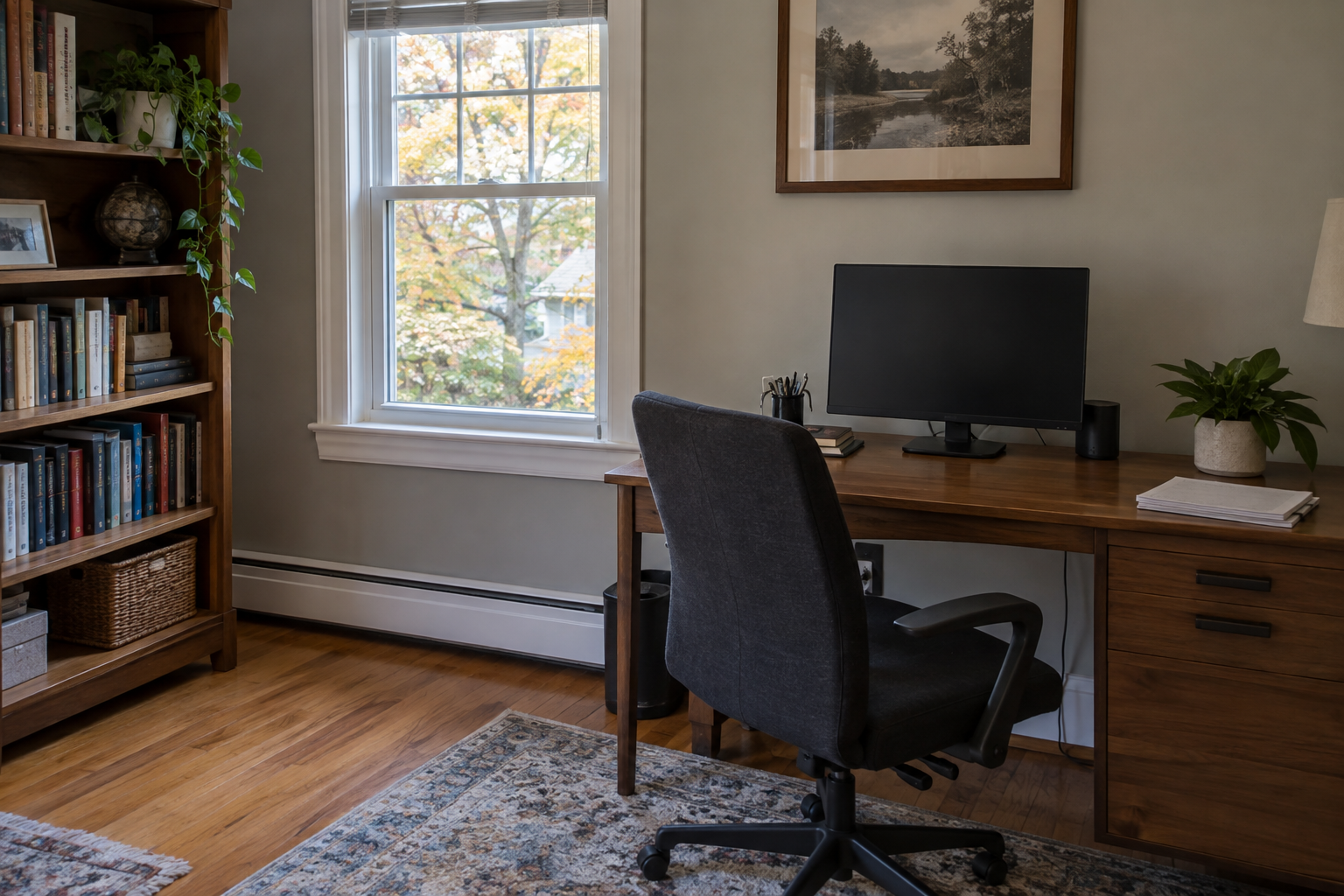
A home office can become one of the most frequently used rooms in the house, yet it is easy to clean only the visible center of the desk. Dust gathers behind monitors, beneath cables, along shelf edges, inside chair casters, around vents, and under storage. Paperwork and electronics also make ordinary cleaning more complicated.
Ready to plan your cleaning?
Review deep cleaning services and confirm your rooms, priorities and timing.
A planned session for deep cleaning in Manhasset can support a focused fall routine while respecting important files and equipment. The key is to separate personal organization from professional cleaning, then work through the room in a safe, deliberate order.
Decide What the Cleaner May Move
Before the appointment, identify private papers, active work, medication, financial records, access badges, keys, and small valuables. Store them in a secure drawer, box, or room outside the cleaning scope. A cleaner should not sort confidential documents or decide which papers can be discarded.
Confirm whether desktop accessories, books, framed items, and lightweight furniture may be repositioned. Heavy desks, loaded bookcases, filing cabinets, and connected equipment should remain in place unless a separate moving plan has been approved.
Create a Simple Clean-Here Boundary
Use one container for items the homeowner will review later and leave the surfaces scheduled for cleaning as clear as possible. Label any area that should not be touched. A visible boundary helps the team work efficiently while protecting unfinished projects and personal information.
Shut Down Electronics Before Detailed Cleaning
Save work, power down computers, and unplug devices only if the owner or manufacturer permits it. Take a quick photo of cable connections before anything is disconnected. If the setup is complex, the safest choice may be to clean around it without unplugging components.
Never spray product directly onto monitors, keyboards, speakers, printers, docking stations, outlets, or control panels. Apply an approved method to the cloth when appropriate, keep moisture away from openings, and follow the manufacturer’s care guidance for screens and coated surfaces.
Start With High, Reachable Surfaces
Begin at accessible vents, door frames, shelf tops, picture frames, window trim, and light fixtures. Work downward so loosened dust does not land on a freshly cleaned desk or floor. Use stable access equipment rather than standing on office chairs or furniture.
Ceiling fans, tall built-ins, chandeliers, or surfaces beyond safe reach may require separate equipment and scope. Interior duct cleaning and electrical repairs do not belong in a routine deep-cleaning visit.
Detail Shelves Without Losing the Arrangement
Bookshelves collect dust on top edges, behind objects, and where shelves meet the backing. If items may be moved, work in small sections and return them in the same order. A reference photo can prevent confusion when a shelf contains collections or carefully arranged materials.
Use tools suited to the shelf finish and the condition of the books. Avoid damp cloths near paper, photographs, or unfinished wood. Fragile books, artwork, awards, and collectibles should be left for the owner or handled only under specific instructions.
Watch for Overloaded or Unstable Storage
If a shelf is bowing, a cabinet is loose, or stacked items appear unstable, stop and report the condition. Cleaning should not become furniture repair. An overloaded unit may need to be emptied and secured before detailed service can continue safely.
Clean the Desk in Layers
Remove loose dust from upper accessories first, then address the desktop, edges, drawer fronts, legs, and reachable underside. Use a product compatible with the surface, whether it is sealed wood, laminate, glass, stone, painted material, or metal.
Do not flood seams, cable ports, leather inlays, or unfinished edges. Adhesive residue, ink, permanent marker, and heat damage may not respond to normal cleaning and can worsen with aggressive rubbing. Test an unfamiliar method in a discreet area when appropriate.
Give the Keyboard and Chair Special Attention
Keyboards and mice collect dust, crumbs, and skin oils. Power them down or disconnect them according to manufacturer guidance. Use controlled dry methods and avoid pushing debris deeper into openings. Shared devices may be included in an approved touchpoint routine.
Vacuum an office chair with an attachment suited to the upholstery. Check seams, the underside of the seat, armrests, base, and casters. Fabric, leather, mesh, vinyl, and coated materials require different care, and stain removal should never be guaranteed.
Organize Cords Without Changing the Setup
Cables trap dust and make floor edges difficult to reach. The owner can bundle or label cords before service, leaving enough slack for equipment ventilation and normal use. Cleaners should avoid pulling connections, moving power strips, or changing the workstation configuration without permission.
If a cable is frayed, an outlet is damaged, or a power strip appears overloaded, do not handle it as a cleaning task. Point out the condition so the homeowner can contact an appropriate professional.
Refresh Windows, Vents, and Airflow Areas
Clean accessible window sills, frames, and interior glass if included in the scope. Vacuum dry debris from tracks before using moisture. Protect nearby electronics, paper, and wood from overspray, and keep window treatments arranged according to the homeowner’s instructions.
Dust accessible vent covers and the surrounding wall without opening mechanical equipment. Leave clear space around computer vents, routers, and other devices that release heat. Fine dust inside equipment or ductwork may require specialized service.
Finish With Floors and Hidden Edges
Move only lightweight, approved items before vacuuming. Pay attention to baseboards, desk edges, chair-mat borders, corners, and the area beneath reachable furniture. Use attachments that capture dust instead of blowing it across the room.
Clean hard floors with a method appropriate for wood, stone, tile, laminate, or resilient material. Rugs and carpet should be vacuumed according to their construction, with special care around fringe and cables. Return items only after the floor is ready.
Build a Five-Minute Maintenance Routine
A deep clean lasts longer when the daily system is simple. End each workday by clearing cups, placing active papers in one tray, wiping an approved desktop area, and returning loose items to their designated places. Once a week, check waste, visible dust, and the floor around the chair.
Schedule periodic detailed attention to vents, shelf tops, baseboards, window trim, and areas behind equipment. A realistic maintenance plan reduces buildup without requiring the office to be reorganized every time it is cleaned.
Request Deep Cleaning in Manhasset
Crystal Breeze Cleaning provides detailed home cleaning in Manhasset and surrounding Long Island communities. We can discuss the office layout, surfaces, equipment, privacy boundaries, priority areas, and other rooms that should be included in the visit.
Request a cleaning quote by calling (516) 789-2767 or visiting crystalbreezecleaning.com. Share the office surfaces, equipment boundaries, and priority areas so the visit can be scoped around your workspace.
Ready to plan your cleaning?
Review deep cleaning services and confirm your rooms, priorities and timing.