
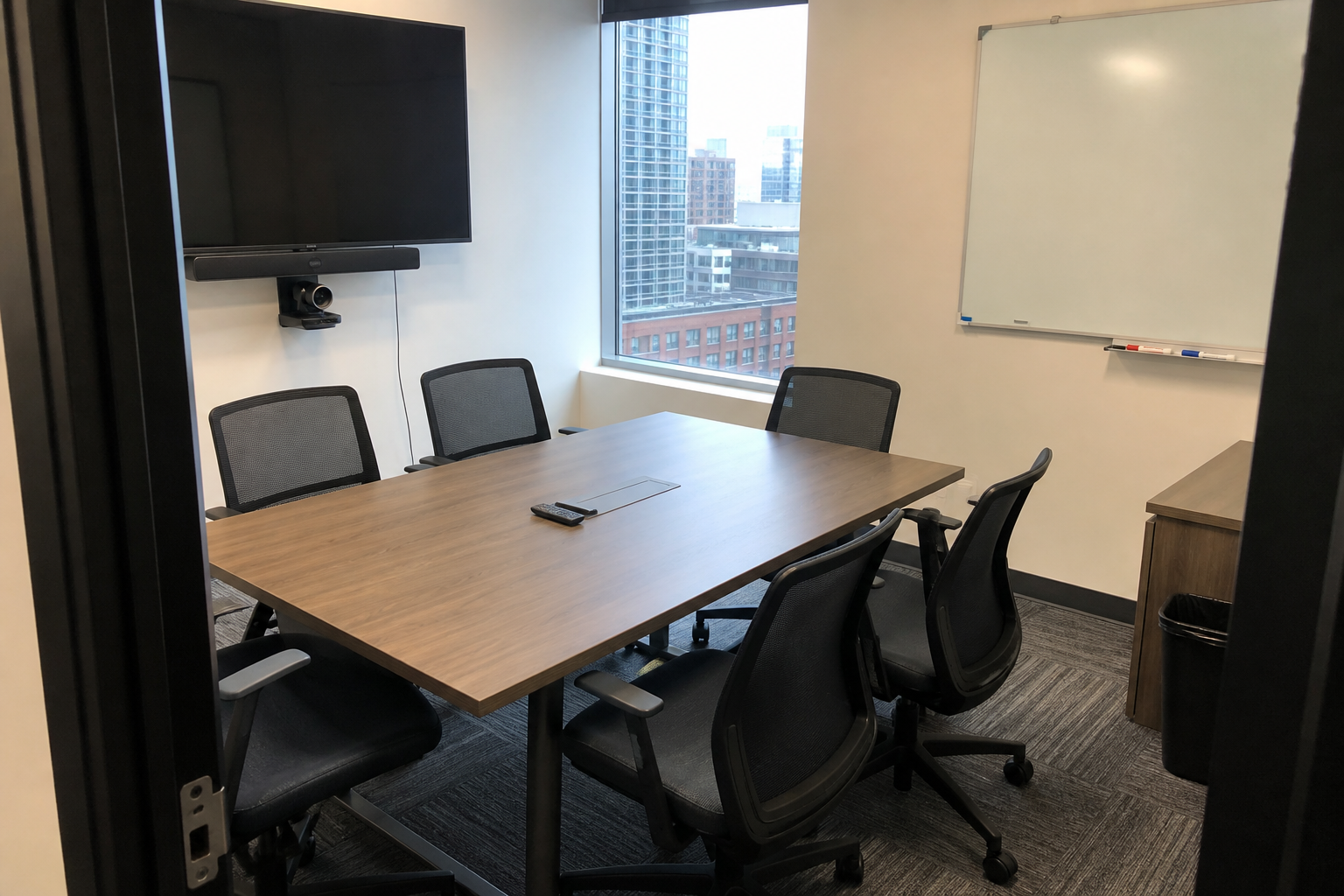
Conference rooms are among the most visible shared spaces in an office. They host client conversations, interviews, team meetings, training sessions, video calls, and working lunches. Even when the room looks orderly from the doorway, tables may have fingerprints, chairs may hold crumbs, screens may show smudges, and whiteboard residue may remain from the previous meeting.
Ready to plan your cleaning?
Review office & commercial cleaning services and confirm your rooms, priorities and timing.
For businesses planning office cleaning in Long Island City, a consistent conference-room reset helps every meeting begin in a prepared space. The strongest system separates employee responsibilities, routine cleaning tasks, careful electronics handling, and periodic detail work.
Define what “meeting-ready” means
A vague instruction to keep the room clean can lead to different results from one day to the next. Create a short standard for the finished room. The table should be clear, chairs should return to their assigned layout, trash should be removed, floors should be free of visible debris, and shared supplies should be organized.
Include the details that matter to your workplace. A client-facing boardroom may need clean glass and a precise chair arrangement. A creative studio may depend on clean whiteboards and stocked markers. A training room may require rows of tables, charging cables, and presentation equipment to be returned to specific positions.
Use a reference photo for room setup
A photograph of the approved layout can prevent guesswork. Show the number and position of chairs, placement of remotes, cable routing, table accessories, and any materials that should remain in the room. Update the photograph when furniture or technology changes.
Separate employee cleanup from professional cleaning
Employees should remove meeting-specific items after each use. That includes food, cups, notebooks, handouts, confidential documents, samples, decorations, and personal belongings. Whiteboards should be marked “save” when information must remain; otherwise, the office should establish who is responsible for erasing them.
Professional cleaning can then focus on the room itself: table surfaces, chair touchpoints, door handles, light switches, interior glass, trash, visible dust, and floors. When cleaners must first identify paperwork or decide whether meeting materials can be discarded, the risk of mistakes increases and less time remains for actual cleaning.
Protect confidential and sensitive information
Do not leave visitor lists, financial documents, passwords, project plans, legal materials, or personal employee information in an unattended conference room. Use secure storage and follow the company’s document-handling policy. Cleaners should not be expected to decide which papers are important or confidential.
Clean tables according to their material
Conference tables may be laminate, wood veneer, solid wood, glass, stone, metal, or a combination of materials. Confirm the manufacturer’s care guidance and share it with the cleaning provider. A product suitable for one table may dull, streak, swell, discolor, or scratch another.
Remove crumbs and loose particles before wiping. Use clean materials so grit is not dragged across the finish. Address spills promptly, especially coffee, tea, dairy, soda, and oily food. If a mark does not release with the approved method, report it instead of escalating to an abrasive pad or stronger chemical without authorization.
Handle screens and meeting technology carefully
Modern conference rooms may contain displays, cameras, microphones, speakers, touch panels, wireless presentation devices, charging docks, and control systems. These items should not be treated like ordinary furniture. Never spray cleaner directly onto a screen, keyboard, control panel, or cable connection.
Follow manufacturer instructions for powered equipment and use only approved materials. Keep liquid away from ports and ventilation openings. If the business prefers that cleaners avoid certain technology entirely, identify it clearly in the scope. Assign an employee or IT contact to handle specialized equipment and report malfunctions.
Organize cables without disconnecting systems
Cables can make a room look untidy, but disconnecting or rerouting them can interrupt the next meeting. Use labeled cable guides, docking stations, or table-mounted organizers so the intended setup is obvious. Cleaning should work around connected systems unless the business has provided specific instructions.
Keep whiteboards and shared supplies usable
Old marker residue, dirty erasers, dried-out pens, and scattered supplies can make an otherwise clean room feel neglected. Establish an approved whiteboard-cleaning method and a clear signal for content that must be preserved. Store markers, erasers, adapters, and remote controls in labeled locations.
Inventory belongs to the business, but cleaners can report obvious shortages or damaged items when that step is included in the communication plan. A simple checklist can note missing markers, low tissues, overflowing recycling, or a remote that was not found after the room was reset.
Match cleaning frequency to room traffic
A room used for several meetings each day may need quick resets more often than a boardroom used twice a month. Track the number of meetings, food service, visitor traffic, and floor conditions. High-use rooms may need frequent trash removal and touchpoint cleaning, while low-use rooms still need scheduled dusting.
Long Island City offices can include creative studios, corporate suites, shared workspaces, and mixed-use buildings. Service timing should fit building access, elevator procedures, security requirements, employee schedules, and the room-booking calendar. Cleaning before opening, after closing, or during low-traffic periods can reduce disruption.
Schedule periodic detail work
Routine resets may not include every chair base, caster, vent, wall edge, table support, cable channel, blind, or high ledge. Add rotating detail tasks to the recurring plan. This helps keep low-visibility dust and debris from building up without overloading every visit.
Create one communication path
Choose a primary office contact who can confirm access, approve scope changes, and report concerns. Feedback should identify the room, surface, date, and issue. “Coffee ring on the east end of Conference Room B” is more useful than saying the meeting rooms were not clean.
Review the plan when furniture, technology, headcount, office hours, or room use changes. A conference room converted into a training space or hybrid-call studio may need a different schedule and scope.
Plan conference-room cleaning with Crystal Breeze
A useful conference-room reset combines clear employee responsibilities, surface-appropriate cleaning, careful technology handling, organized supplies, and service frequency based on actual use. A written standard makes the expected room layout and cleaning priorities easier to follow.
Crystal Breeze Cleaning provides commercial office cleaning based on workplace use, access, scheduling, and requested priorities. Request a cleaning quote or call (516) 789-2767 to discuss your Long Island City office, conference rooms, preferred service window, and cleaning frequency.
Ready to plan your cleaning?
Review office & commercial cleaning services and confirm your rooms, priorities and timing.